Vultr Managed Database Pricing: $15 Entry, Kafka from $475
By RenUpdated Oct 28, 2026Infra
In this article
- TL;DR / quick specs
- What Vultr Managed Databases actually is
- Supported engines: PostgreSQL, MySQL, Valkey, and Kafka
- Vultr Managed Database pricing
- Key features worth knowing
- Performance: what the numbers actually show
- Vultr Managed Databases vs the competition
- Limitations you should know before you commit
- Who should use Vultr Managed Databases (and who shouldn’t)
- Reliable, low-maintenance databases from $15 a month
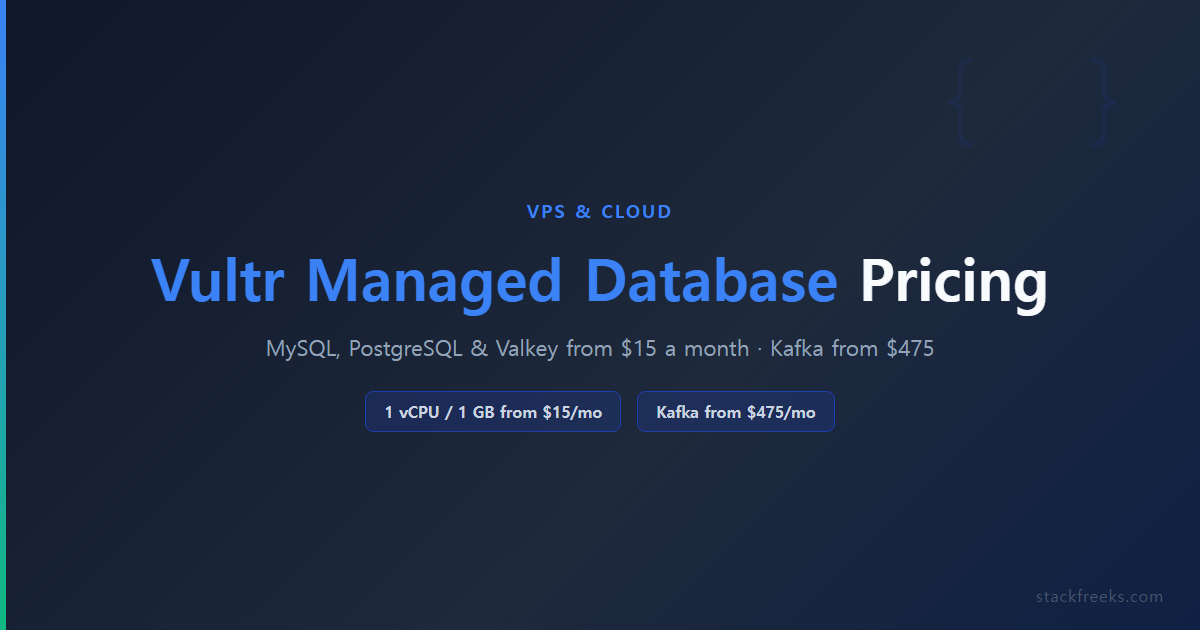
Vultr Managed Databases runs four engines: MySQL 8, PostgreSQL, Valkey and Apache Kafka. On Vultr’s pricing page (checked October 28, 2026), MySQL, PostgreSQL and Valkey start at $15 a month for 1 vCPU and 1 GB RAM on Regular Performance with no replica, or $18 on High Performance. Managed Kafka starts at $475 a month for three brokers and 600 GB.
This post contains affiliate links. If you purchase through our links, we may earn a commission at no extra cost to you.
TL;DR / quick specs
| Supported engines | MySQL 8, PostgreSQL, Valkey (Redis-compatible), Apache Kafka |
| Entry price | $15/mo (1 vCPU, 1 GB RAM, 25 GB storage on MySQL and PostgreSQL); Kafka from $475/mo |
| SLA | 99.99% (advertised on the product page) |
| Regions | Replicas and Kafka in 33 locations (managed-database docs) |
| PITR | Yes, MySQL & PostgreSQL only |
| Backup retention | PITR window by node plan: 30 days (Premium), 14 (Business), 2 (Startup), none (Hobbyist) |
| Compliance | SOC 2, HIPAA, GDPR |
| IaC support | Terraform, REST API, CLI |
| Best for | Startups, solo devs, mid-market teams without a dedicated DBA |
| Not for | Enterprise workloads >10K concurrent connections; Valkey users who need PITR |
What Vultr Managed Databases actually is
Vultr’s managed database product covers MySQL, PostgreSQL, Valkey (a Redis-compatible open-source fork) and Apache Kafka. The service automates the parts that burn developer hours: provisioning, automated backups, failover, patch management, and version upgrades.
What you’re getting is a database cluster deployed on Vultr’s infrastructure, wrapped with enough automation that you don’t need a full-time DBA to keep it running. You still manage your schemas, indexes, queries, and connection strings. The ops layer is what’s handled for you.
Vultr’s managed-database docs say read replicas and Kafka can run in 33 Vultr locations (the main site now lists 34 regions). You can deploy via the control panel, REST API, CLI or Terraform. As our full Vultr review covers, the compute platform itself has strong fundamentals, and the managed database product inherits that infrastructure.
Supported engines: PostgreSQL, MySQL, Valkey, and Kafka
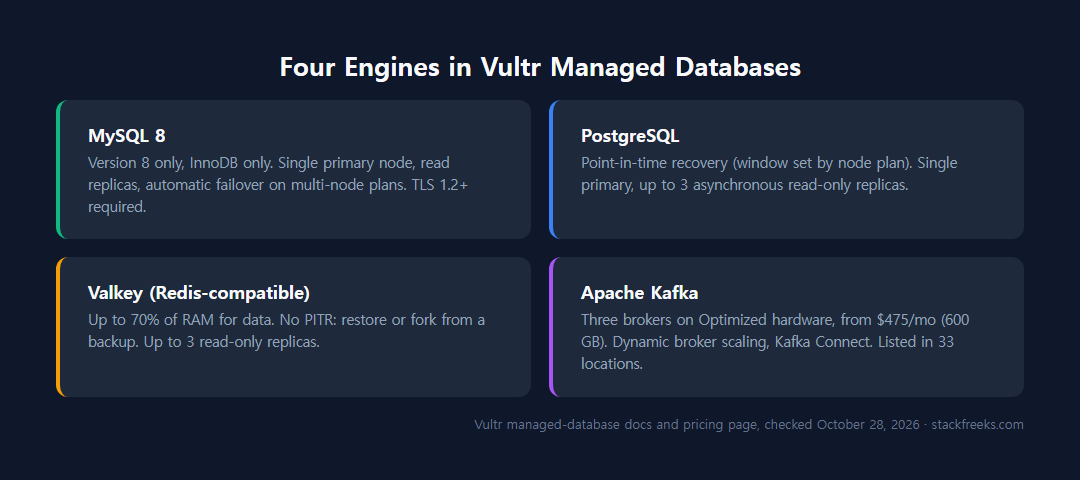
Each engine has different capabilities and limitations, so don’t assume they’re interchangeable.
MySQL 8
Vultr’s MySQL offering runs version 8 exclusively. No MySQL 5.7, no exceptions. That’s fine for new projects but worth checking against your ORM or legacy app requirements before you commit.
A few hard constraints to know upfront:
- InnoDB only. No MyISAM, no Memory engine, no alternatives.
- Single primary node. You can add read replicas for load balancing and HA, but there’s no multi-writer setup.
- Read replicas can sit in another region. Vultr’s docs say read-only replicas can be placed in a different location from the cluster, stated for managed databases in general.
- All connections require TLSv1.2 or TLSv1.3 minimum.
Automatic failover is included on multi-node plans: if the primary goes down, a replica gets promoted without manual intervention.
PostgreSQL
PostgreSQL gets the same point-in-time recovery as MySQL, with the window set by the node plan (see below), and the same single primary (write) node with up to 3 asynchronous read-only replicas. Vultr’s managed-database docs also have pages on PgBouncer connection pooling and supported extensions; read the current answers there before you plan around pgvector, PostGIS or a specific connection limit.
Valkey (Redis-compatible)
Vultr originally offered Redis, then transitioned to Valkey after Redis changed its license to SSPL. Valkey is a community-governed open-source fork. It’s API-compatible with Redis, so your existing Redis client code should work without changes.
Key details:
- Up to 3 read-only replica nodes per Vultr’s docs (the pricing tables list plans with up to 2), and replicas can be placed in a different region.
- No PITR. You get backups you can restore or fork into a new cluster, but there’s no point-in-time rollback. If you need that for a cache or session store, you need to build your own backup workflow.
- The engine gets up to 70% of available RAM for data, and another 10% of total RAM is reserved for the replication log.
- No multi-primary: one write node per cluster.
If your use case is pure caching or real-time leaderboards and you don’t need point-in-time recovery, Valkey is a reasonable managed option. If you need PITR, don’t use Valkey managed.
Apache Kafka
Vultr’s docs list managed Kafka in 33 locations. It runs on Optimized hardware with three brokers, from $475 a month for 600 GB of storage ($955 for 1,200 GB). Dynamic broker scaling lets you add or remove brokers based on demand rather than over-provisioning upfront.
Kafka Connect is included for integrating with external data sources and consumers. External schema registry is supported. Access control is handled via fine-grained ACLs and role-based access control. Network isolation runs through Vultr’s VPC.
Bandwidth overage is $0.01/GB, so keep that in mind for high-throughput event streams.
Vultr Managed Database pricing
New customers can apply a promo code for up to $300 in credit on select products, and Vultr’s docs say free credits last up to 30 days, which gives you a meaningful runway to test a managed database cluster before any real spend.
On the plans we could match to a VPS, the managed price is exactly 3× the matching VPS ($5 to $15, $20 to $60, $30 to $90). That’s our arithmetic on Vultr’s price list, not a Vultr rule, and it’s the tax you pay to eliminate ops work. Here’s how it breaks down:
Standard Cloud Compute plans
| Plan | vCPU | RAM | Storage | Price/mo |
|---|---|---|---|---|
| Entry (MySQL/PostgreSQL), Regular Performance | 1 | 1 GB | 25 GB | $15 |
| Entry, High Performance | 1 | 1 GB | 32 GB | $18 |
| Entry (Valkey) | 1 | 1 GB | n/a | $15 |
Optimized Cloud Compute: General Purpose
| Plan | vCPU | RAM | Storage | Price/mo |
|---|---|---|---|---|
| Entry GP | 1 | 4 GB | 30 GB | $90 |
| Top GP | 96 | 256 GB | 1,280 GB | $11,520 |
Optimized Cloud Compute: Storage Optimized
| Plan | vCPU | RAM | Storage | Price/mo |
|---|---|---|---|---|
| Entry Storage | 1 | 8 GB | 150 GB | $225 |
Overage costs: Bandwidth overage is $0.01/GB. Backup storage runs $0.05/GB/month.
Prices from Vultr’s pricing page, monthly, no replica unless noted, checked October 28, 2026.
The 3× rule is important to internalize. If you’re running a $30 VPS today and thinking about switching to managed, expect the equivalent managed plan to run around $90/month. That’s a real cost difference to plan for before you migrate.
For teams comparing against self-hosting on a Vultr VPS, see Vultr pricing breakdown for a full breakdown of compute vs managed costs.
Key features worth knowing
High availability and failover. Vultr advertises a 99.99% SLA on its managed databases page. On multi-node clusters, if the primary node goes down, a replica gets promoted automatically, with no manual intervention and no 3 a.m. page to your on-call engineer. Vultr’s docs allow up to 3 read-only replicas, while the pricing tables list plans with 0, 1 or 2.
Point-in-time recovery. MySQL and PostgreSQL get PITR, with a window set by the node plan: 30 days on Premium, 14 on Business, 2 on Startup and none on Hobbyist, per Vultr’s backup docs. Backups run every 12 hours by default, or daily on a custom schedule. Fork-from-backup lets you restore to a new cluster without touching the existing one, which is useful for testing a recovery scenario without risking production. Again: Valkey does not get this.
Security defaults. Vultr’s docs say data is encrypted at rest and in transit, with VPC network isolation and IP allowlisting on top. Compliance-wise: SOC 2, HIPAA and GDPR.
Version upgrades. Major and minor version upgrades run automatically or on-demand, with minimal downtime. You’re not manually patching database binaries.
Infrastructure as code. A Terraform provider is supported, plus the Vultr REST API and CLI. If your team already runs IaC, you can manage database clusters alongside compute and networking in the same workflow.
Performance: what the numbers actually show
There are no fully independent, third-party sysbench or pgbench benchmarks for Vultr Managed Databases from a trusted source.
For high-traffic workloads (10,000+ concurrent connections), AWS RDS pulls ahead on capability, though it costs more. Multi-AZ and Performance Insights are purpose-built for that scale.
For mid-market workloads (a SaaS product, an internal app, a side project with real traffic), price is the stronger argument. Optimized plans run on dedicated AMD vCPUs with NVMe storage, but no published benchmark shows how that translates to managed-database query throughput.
You’ll have to run your own benchmarks against your workload. The infrastructure is solid, but the specific numbers don’t exist yet in the public record.
Vultr Managed Databases vs the competition
vs DigitalOcean Managed Databases
At $60 a month, Vultr’s Regular Performance PostgreSQL plan has 2 vCPU, 4 GB RAM and 80 GB of storage with no replica. DigitalOcean’s managed database prices, regions and engine list weren’t re-checked for this update, so compare against its current pricing page rather than older figures. BetterStack’s review describes DigitalOcean’s managed services layer as more polished and better integrated.
As our Vultr vs DigitalOcean comparison also finds, neither has a decisive edge on managed databases specifically. It comes down to which engines you need and whether geographic reach matters for your use case.
vs AWS RDS
| Factor | Vultr | AWS RDS |
|---|---|---|
| PITR | Yes (MySQL/PostgreSQL) | Yes |
| Multi-AZ failover | Replica-based | Native Multi-AZ |
| Cross-region read replicas | Yes (read-only, up to 3) | Full support |
| Performance Insights | No | Yes |
| Best for | Startups, mid-market | Enterprise, high-traffic, AWS-native |
If you’re running in an AWS-native environment or building for >10K concurrent connections, AWS RDS wins on capability. Vultr’s case is price, but RDS rates weren’t re-checked for this update, so price both at your own instance size.
vs self-hosting on Vultr VPS
The 3× pricing rule comes into focus here. A $20/month Vultr VPS (2 vCPU, 4 GB, 80 GB) maps to the $60/month managed PostgreSQL plan with the same specs and no replica, exactly 3× for the same underlying compute. In exchange, you get automated backups, PITR, failover, and patch management.
If you have the VPS expertise to handle those yourself, self-hosting is a legitimate cost optimization. If you don’t, or if engineer time is more expensive than the price delta, managed is the right call. See our Django on Vultr tutorial for what self-managed setup actually looks like in practice.
Limitations you should know before you commit
Several of these matter significantly depending on your stack:
- Single primary node only. No multi-writer, no multi-primary. One write node per cluster.
- Valkey has no PITR. If you lose data and need point-in-time rollback, you’re out of luck with Valkey. You can only restore or fork from a backup.
- MySQL 8 only. No MySQL 5.x. Legacy apps need to upgrade before migrating.
- InnoDB only for MySQL. No MyISAM, no Memory engine, no alternatives.
- Managed price is ~3× VPS compute cost. The ops savings are real, but the price gap vs self-hosting is significant.
- Managed services layer is less mature than core compute. BetterStack’s review notes that Vultr’s managed services ecosystem is less polished and less integrated than DigitalOcean’s equivalent. The compute platform is excellent; managed databases are catching up.
- No independent performance benchmarks exist. You can’t validate performance claims from third-party sysbench or pgbench data before committing.
- Near-zero Reddit community discussion. This isn’t a blocker, but it means you’re less likely to find community-sourced troubleshooting, edge case solutions, or real-world post-mortems compared to AWS RDS or DigitalOcean.
- Valkey doesn’t get all the RAM. The engine gets up to 70% of the plan’s RAM for data, and 10% of total RAM is reserved for the replication log.
Who should use Vultr Managed Databases (and who shouldn’t)
Use it if:
- You’re a solo developer or small team without dedicated DBA resources and you need reliable, automated database management.
- You’re already on Vultr for compute and want a unified infrastructure bill.
- Geographic region coverage matters: you need a region that DigitalOcean doesn’t offer.
- You’re running PostgreSQL or MySQL and want point-in-time recovery without running your own backup tooling.
- Your budget sits in the $15 to $225/month range and you want managed reliability without AWS pricing.
- You’re building on Apache Kafka and want a managed event streaming layer without operating your own brokers.
Don’t use it if:
- Your workload requires multi-primary or multi-writer configuration.
- You’re using Valkey and need point-in-time recovery.
- You need >10,000 concurrent connections reliably. AWS RDS is the better fit.
- You’re running MySQL 5.x or a storage engine other than InnoDB.
- Your team has strong DBA skills and tight budgets: self-hosting on a Vultr VPS at 1/3 the price is viable.
Reliable, low-maintenance databases from $15 a month
Vultr Managed Databases does what it promises: reliable, low-maintenance database hosting at a price point that makes sense for developers and startups. The $15/month entry tier, replicas and Kafka in 33 locations per its docs, PITR on MySQL and PostgreSQL, and solid security defaults (encryption at rest and in transit, SOC 2) make it a genuinely competitive option in the mid-market DBaaS space.
The gaps are real, though. Single primary only, Valkey without PITR, PITR windows as short as 2 days on Startup plans, and a managed services layer that BetterStack describes as less mature than DigitalOcean’s. These aren’t dealbreakers for most teams, but they are for specific use cases. Know which category you’re in before you commit.
If you’re PostgreSQL-first, on a tight budget, and don’t need enterprise-grade multi-AZ or AWS ecosystem integration, Vultr Managed Databases is a solid choice. If you need an engine Vultr doesn’t run, or a more polished managed services experience, DigitalOcean is worth pricing out. If you’re running at enterprise scale, AWS RDS is still the benchmark.
For teams on the fence: a promo code for up to $300 in credit (new customers, select products, up to 30 days per Vultr’s docs) is enough to provision a real cluster and test it against your actual workload, which is the most reliable review you’ll get.
Get started with Vultr →