Vultr vs AWS Lightsail: What $5, $6 and $7 a Month Get You
By RenUpdated Oct 28, 2026Infra
In this article
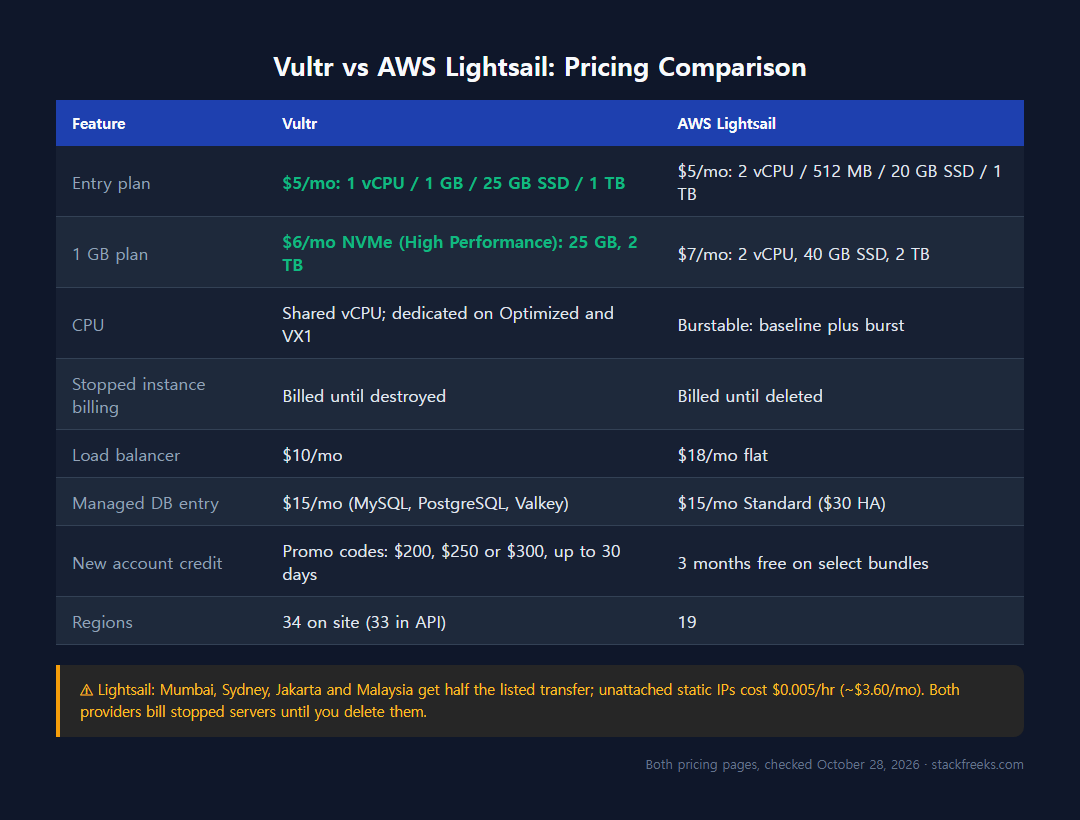
At $5 a month, Vultr’s Regular plan has 1 vCPU, 1 GB RAM, 25 GB SSD and 1 TB of transfer, while Lightsail’s Linux bundle has 2 vCPUs but 0.5 GB RAM, 20 GB and 1 TB (both pricing pages, October 28, 2026). For 1 GB, Vultr’s NVMe High Performance plan is $6 (25 GB, 2 TB) and Lightsail’s bundle is $7 (2 vCPUs, 40 GB, 2 TB).
This post contains affiliate links. If you purchase through our links, we may earn a commission at no extra cost to you.
Below: who each provider actually serves, where the pricing traps are, and which one you should pick for your workload.
Vultr vs Lightsail at a glance
| Category | Vultr | AWS Lightsail |
|---|---|---|
| Starting price | $5/mo (1 vCPU / 1 GB / 25 GB SSD / 1 TB) | $5/mo (2 vCPU / 512 MB / 20 GB SSD / 1 TB) |
| CPU and disk | $5 Regular: previous-gen Intel, regular SSD. High Performance: AMD EPYC or Intel Xeon, NVMe | Burstable instances (CPU baseline with bursts above it), SSD |
| Data center regions | 34 on Vultr’s site (33 in its API) | 19 |
| Free trial/credit | Promo codes for $200, $250 or $300 of credit, up to 30 days | 3 months free on select bundles (one bundle, first 750 hours a month) |
| AWS ecosystem | No native integration | Full: S3, CloudFront, Route 53, SES |
| CPU type | Shared vCPU on Cloud Compute; dedicated on Optimized Cloud Compute and VX1 | Burstable: a baseline level, with bursts above it |
| Managed DBs | From $15/mo (MySQL, PostgreSQL, Valkey) | From $15/mo ($30 high availability) |
| Best for | Devs wanting more regions and a dedicated-vCPU upgrade path | AWS-native projects, simple deployments |
Bottom line: If you want wider global reach and a dedicated-vCPU option (Optimized Cloud Compute, VX1) at the same provider, Vultr wins. If you’re already deep in AWS and want to stay there, Lightsail’s ecosystem integration justifies the trade-offs, but read the burstable CPU fine print first.
Pricing: predictable vs tricky
Vultr pricing
Vultr keeps it clean. You pick a plan, you pay that rate, bandwidth overage is a flat $0.01/GB globally.
Cloud Compute (Regular Performance):
- 1 vCPU / 1 GB RAM / 25 GB SSD / 1 TB: $5/mo
- 1 vCPU / 2 GB RAM / 55 GB SSD / 2 TB: $10/mo
High Performance (NVMe):
- 1 vCPU / 1 GB / 25 GB NVMe: $6/mo
- 2 vCPU / 4 GB / 100 GB NVMe: $24/mo
IPv6-only (budget):
- 1 vCPU / 512 MB: $2.50/mo
New customers can apply a promo code for $200, $250 or $300 of credit on select products, and Vultr’s docs say free credits last up to 30 days.
Managed databases cover MySQL, PostgreSQL, Valkey (Vultr’s Redis-compatible engine), and Kafka, with MySQL, PostgreSQL and Valkey starting at $15/mo. Stopped instances are still billed, so delete servers you no longer need.
AWS Lightsail pricing
Lightsail’s list prices look competitive. The problem is what’s not obvious upfront.
Linux/IPv4 bundles:
- $5/mo: 512 MB RAM, 2 vCPU, 20 GB SSD, 1 TB transfer
- $7/mo: 1 GB, 2 vCPU, 40 GB, 2 TB
- $12/mo: 2 GB, 2 vCPU, 60 GB, 3 TB
- $24/mo: 4 GB, 2 vCPU, 80 GB, 4 TB
- Memory-Optimized: from $74/mo (16 GB RAM)
- IPv6-only: from $3.50/mo
The gotchas:
- Stopped instances still bill at full rate. Stop a $24/mo server to save money and you’re still paying $24/mo. You have to delete it to stop charges.
- Unattached static IPs cost $0.005/hr (~$3.60/mo). Easy to forget if you spin up and tear down instances.
- Four Asia Pacific regions get half the transfer. In Mumbai, Sydney, Jakarta and Malaysia, the 3 TB listed on the $12 plan becomes 1.5 TB. Singapore and Tokyo aren’t on that list.
- Load balancer is $18/mo flat.
- Block storage is $0.10/GB/mo, which adds up fast.
Managed DB Standard runs $15/mo; HA doubles to $30/mo. On the surface the Standard price matches Vultr’s $15/mo entry tier. But for anything production-grade you’ll want HA, and $30/mo is a different conversation.
For every plan and add-on, see the Vultr pricing breakdown for 2026.
Performance: where the gap gets real
This is where Vultr and Lightsail diverge the most, and it matters more than most buyers expect.
Vultr performance
Vultr’s High Performance plans run on AMD EPYC or Intel Xeon CPUs with NVMe storage at the same price; Vultr doesn’t publish the CPU generation. The $5 Regular plan is previous-generation Intel on regular SSD.
The VX1 tier (launched October 21, 2025) is notable: dedicated CPU resources, up to 50 Gbps networking, and provisioning in under 15 seconds, per Vultr. For automation-heavy workflows or burst-and-scale patterns, that speed is genuinely useful.
Vultr’s Cloud Compute plans (Regular, High Performance, High Frequency) run on shared vCPUs. For dedicated cores you move to Optimized Cloud Compute (from $28) or VX1 (from $43.80).
AWS Lightsail performance
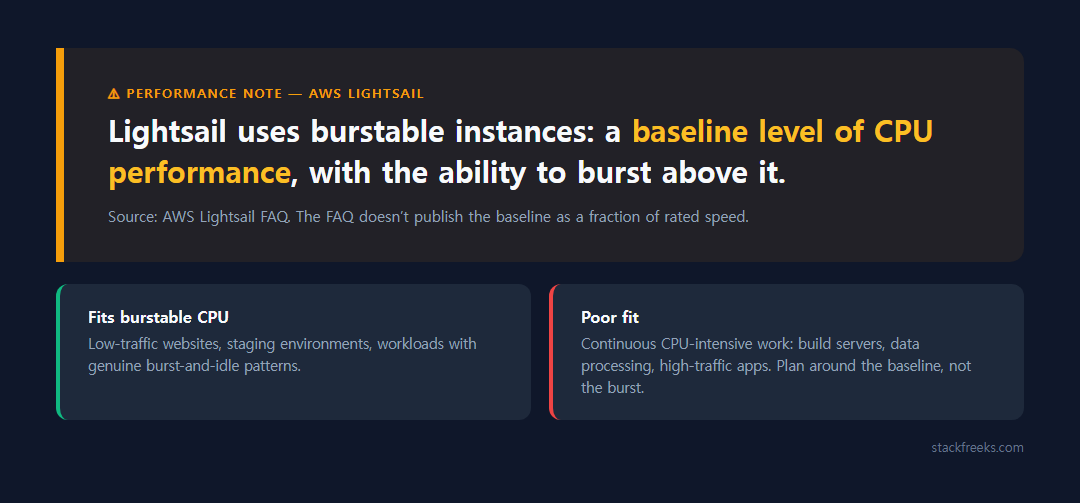
Lightsail uses burstable performance instances: AWS’s Lightsail FAQ describes a baseline level of CPU performance with the ability to burst above it. Under sustained load you should plan around the baseline, not the burst; the FAQ doesn’t publish the baseline as a fraction of rated speed.
For low-traffic websites, staging environments, or workloads with genuine burst-and-idle patterns, you’ll never hit that wall. For anything that runs CPU-intensive processes continuously (build servers, data processing, high-traffic apps), Lightsail’s burstable model is a poor fit.
For a closer look at another budget host, see how Vultr compares to DigitalOcean on performance.
Ease of use
Both platforms target developers who want simplicity, and both deliver on that promise in different ways.
Vultr has a clean, modern dashboard, and you can pay by card or PayPal. With 34 regions listed on its site, you’ll usually find a data center close to your users.
AWS Lightsail is where AWS hid its “easy mode” interface, and it’s genuinely easier to get started than navigating the full AWS Console. Blueprints for WordPress, LAMP, Node.js, and others make deployment fast. The managed certificate and DNS tools are solid.
The trade-off: Lightsail’s simplicity is partly a surface feature. Underneath, it’s still AWS, and when you need to integrate with other services, you’re back in the full AWS ecosystem complexity. That suits you if you’re already there and works against you if you’re not.
Features
Vultr notable features
- DDoS protection add-on: $10/mo per instance for 10 Gbps of mitigation
- VX1 tier: 50 Gbps, <15s provisioning (late 2025 launch)
- Managed databases: MySQL, PostgreSQL, Valkey, Kafka; MySQL, PostgreSQL and Valkey from $15/mo
- 34 regions on Vultr’s site (33 in its API) across North America, South America, Europe, Asia, Australia, and Africa
AWS Lightsail notable features
- AWS ecosystem integration: S3, CloudFront, Route 53, SES, all native
- Memory-Optimized bundles (from $74/mo) for RAM-heavy workloads
- 1 year free CDN + object storage, meaningful for static-heavy sites
- Load balancer at $18/mo: flat rate, predictable
- 19 regions on AWS’s Lightsail endpoint list
- Strong blueprint library for quick deployments
Support
Vultr‘s community resources (documentation, forums) are strong, but if you need hands-on support urgently, you may be waiting.
AWS Lightsail benefits from AWS’s broader support structure. Basic support is included; paid support tiers unlock faster response times. Documentation is comprehensive, and the community is enormous. For most developers, the AWS knowledge base alone can resolve the majority of issues.
Neither provider has great reactive support at the entry level. AWS’s support quality scales with how much you’re paying, and free tier users should expect slower response.
Who should choose which
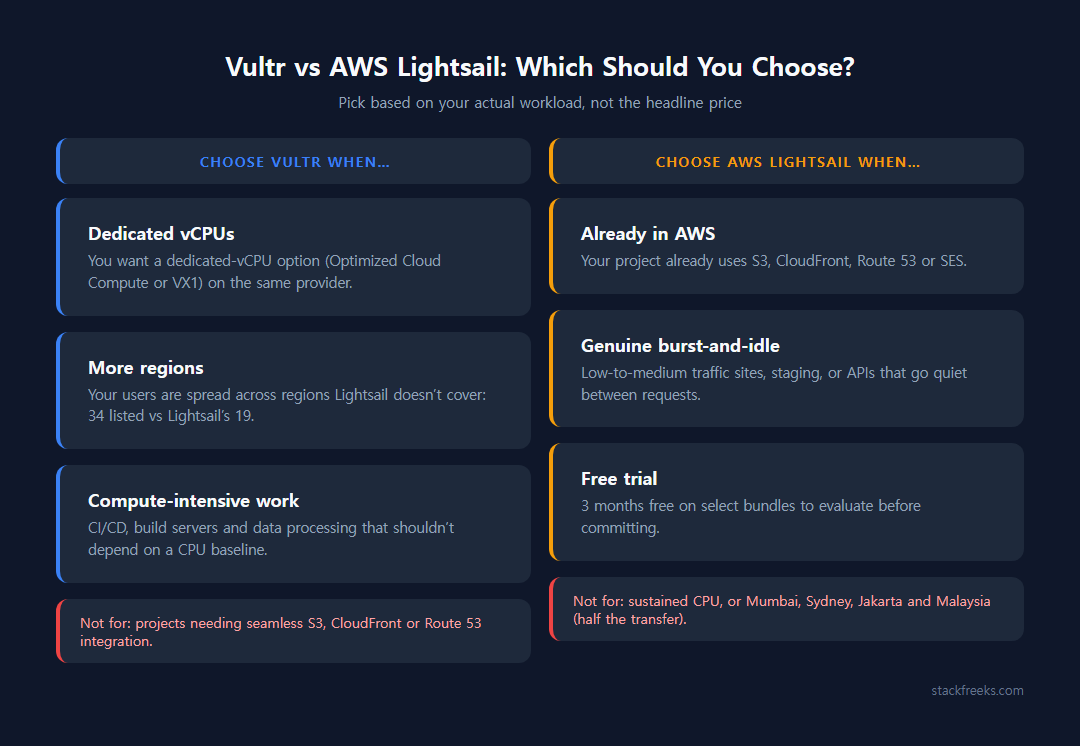
Choose Vultr if:
- You want a dedicated-vCPU option (Optimized Cloud Compute or VX1) on the same provider
- Your users are spread across regions Lightsail doesn’t cover
- You’re running compute-intensive tasks (CI/CD, build servers, data processing)
Vultr is NOT for you if: you’re already invested in the AWS ecosystem or you need seamless S3/CloudFront integration. The friction of bridging to AWS services will cost you time.
Choose AWS Lightsail if:
- Your project already uses S3, CloudFront, Route 53, or SES
- You want a simple, managed deployment for a low-to-medium traffic site
- Your workloads genuinely burst-and-idle (not sustained CPU)
- The 3-month free trial helps you evaluate before committing
Lightsail is NOT for you if: you need sustained CPU performance or you’re deploying in Mumbai, Sydney, Jakarta or Malaysia (half the transfer allowance).
For more on plans, support, and billing, read the full Vultr review for 2026.
More regions or the AWS ecosystem?
Vultr vs AWS Lightsail comes down to one question: do you need more regions and a dedicated-CPU upgrade path, or do you need AWS ecosystem access?
Vultr is the better technical choice for developers who want a dedicated-CPU upgrade path, global coverage, and predictable pricing. NVMe plans from $6, 34 listed regions and a flat $0.01/GB bandwidth overage make it the stronger general-purpose VPS. Support is the weak spot (don’t expect stellar support), but for most self-sufficient developers, you won’t be calling support often.
AWS Lightsail makes sense when you’re already in AWS and want a simple front door to the ecosystem. It’s not built for sustained compute. If you’re running a WordPress blog with moderate traffic, a staging server, or a simple API with real burst-and-idle patterns, Lightsail’s simplicity and AWS integration are worth the burstable CPU trade-off.
For most developers reading this: Vultr is the better default pick. It covers more regions and its 1 GB NVMe plan costs $1 less ($6 vs $7).
If you want to test Vultr before committing, new customers can apply a promo code for up to $300 of credit on select products, valid up to 30 days per Vultr’s docs.
Still comparing budget hosts? See the best cheap VPS options under $10/month.