Claude Code blocks every prompt with “Usage limit reached” or “You’ve hit your limit,” you open your usage page, and the session meter says 2%. Claude.ai chat on the same account still answers. That’s the Claude Code Usage Limit Reached mismatch, and GitHub and Reddit are full of people stuck on it, on Pro and Max 20x plans alike.
There isn’t one cause, so there isn’t one fix. It can be the 1M-context path asking for usage credits (a different error that reads like a limit), a different limit than the one you’re watching (weekly, or usage from another surface or machine on the same account), stuck processes or stale login state, an ANTHROPIC_API_KEY routing you to API billing, or a server-side counter that disagrees with your dashboard and clears on its own. The exact error text tells you which, and that’s where the checklist starts.
Usage Limit Reached at 2%: What the Reports Show
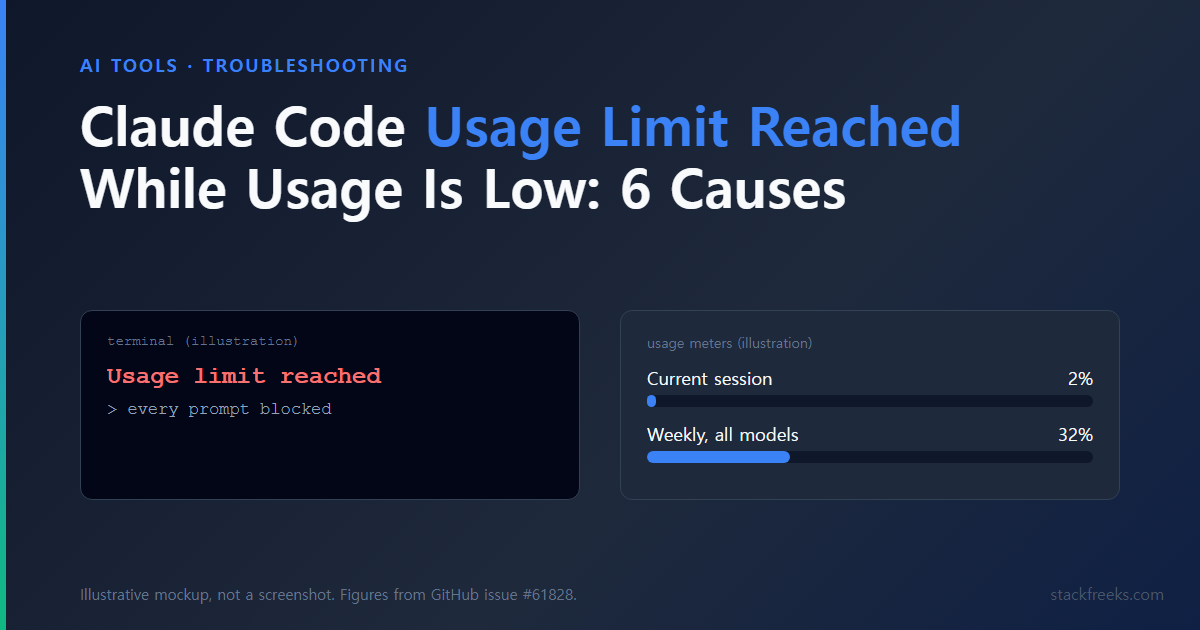
The reference case is GitHub issue #61828, opened 2026-05-23 by a Pro user on Windows. Claude Code refused all input with “Usage limit reached” while claude.ai showed Current session 2% and Weekly, all models 32%, and claude.ai on the web kept working on the same account. The error log in that issue wasn’t a usage-limit error at all:
API Error: Usage credits required for 1M context · turn on usage credits at claude.ai/settings/usage, or use --model to switch to standard contextAs of 2026-10-13, the issue carries bug and duplicate labels and 7 thumbs-up, was marked stale twice, and was closed as “not planned” by the github-actions stale bot on 2026-10-11 for inactivity. A new report landed the next day: on 2026-10-12, a user wrote that Claude Code showed 100% of the 5-hour window used while Claude Desktop showed 0%, with two different reset times. Anthropic hasn’t published a root cause, and a bot closure isn’t a fix.
Issue #54750 (opened 2026-04-29, Max 20x, macOS, still open) shows the session panel at “100% used” and weekly at 60%, while Claude Code’s own session summary showed $0.76 of total cost. A one-character prompt returned “You’ve hit your limit · resets 9:40pm.” Reddit thread titles like “Paid user stuck on ‘usage limit reached’ for 18+ hours” (r/ClaudeAI) show how common this is.
The closest thing to an official explanation is one support reply a Max user quoted on GitHub on 2026-08-19: “the usage display may not always reflect real-time limit state.” That’s one support answer, not a policy.
Why “claude.ai Still Works” Proves Nothing
Drop the test most people use first. Anthropic’s Help Center article How do usage and length limits work? says usage across claude.ai, Claude Code and Claude Desktop counts toward the same usage limit, and the Pro/Max Claude Code page adds that IDE usage counts too.
So a chat window that still replies doesn’t mean Claude Code should, and a low number on one dashboard doesn’t rule out usage from Desktop, an IDE extension, or another laptop on the same account. The docs describe a shared pool; they don’t say a surface mismatch causes this error, so don’t read that into it.
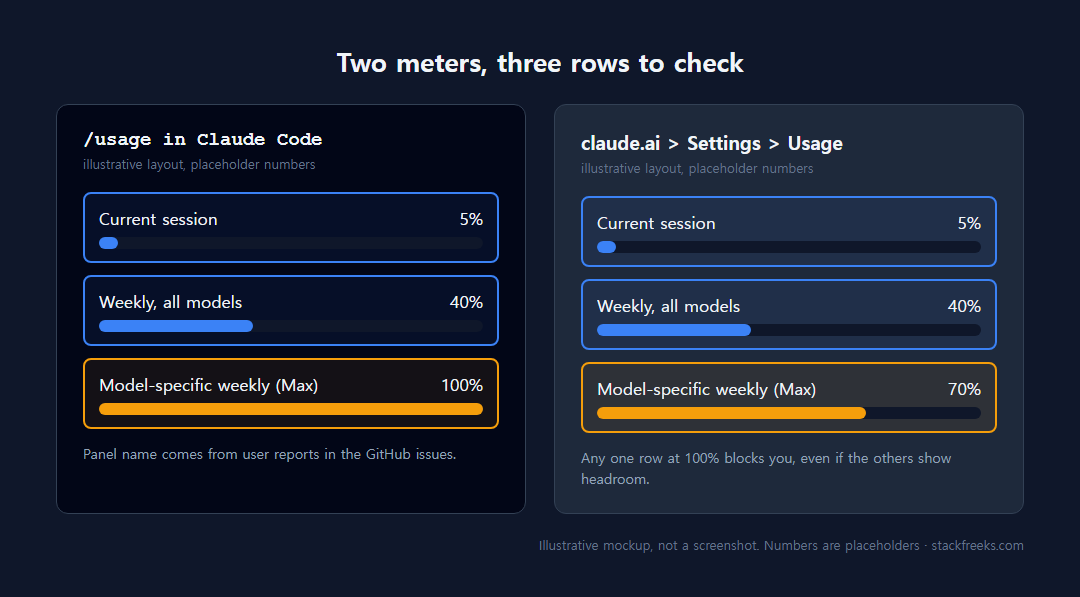
There’s also more than one meter: a 5-hour session limit, a weekly limit, and on Max a separate model-specific weekly limit (the current Help Center calls it the Fable limit; issue reports from April to July 2026 label it “Sonnet only”). Our Claude Code rate limits guide explains how those windows work. Any one of them can block you while the others look fine.
Diagnose a Claude Code Usage Limit Reached Error, Step by Step
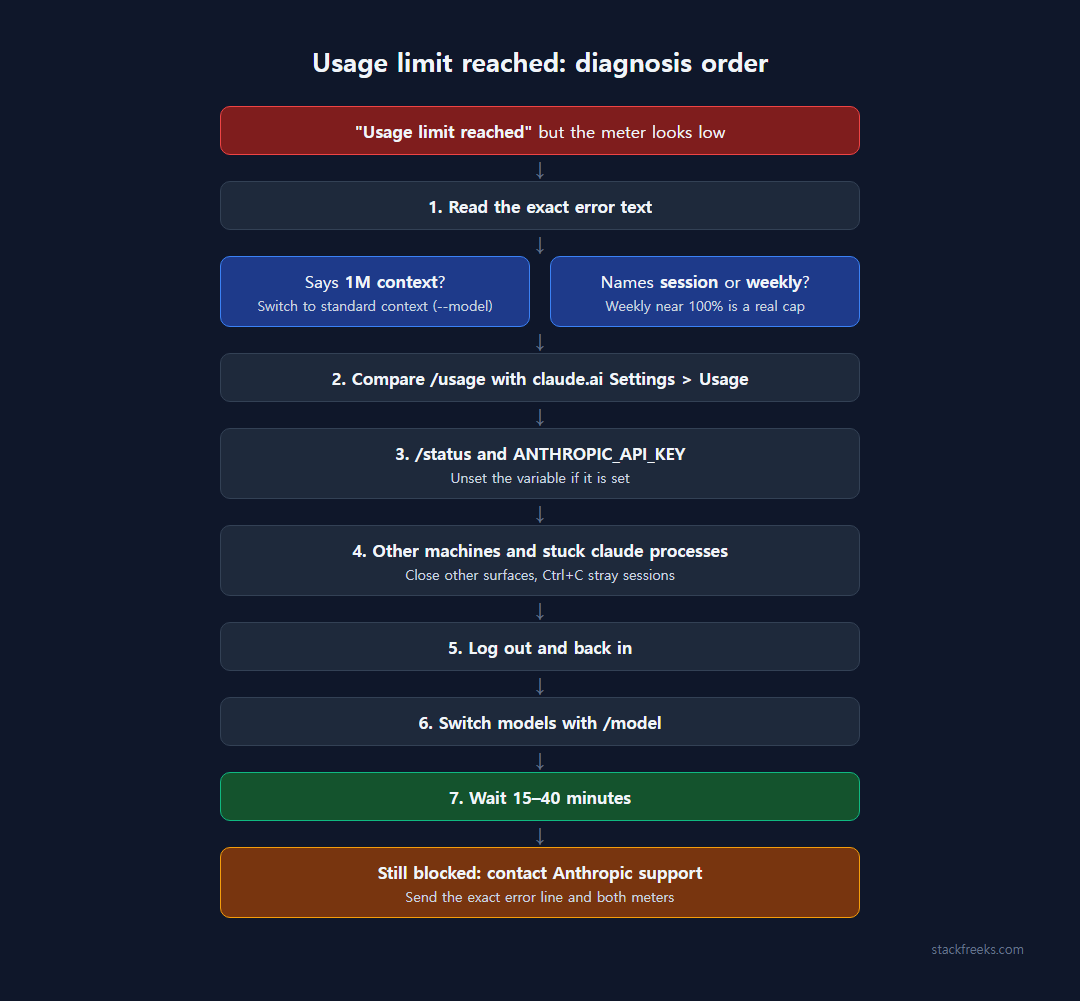
Go in this order. Each step is cheap and tied to a symptom, and the later ones only make sense once the earlier ones are ruled out.
| What you see | Likely cause | First thing to try |
|---|---|---|
| “Usage credits required for 1M context” | 1M-context path needs credits | Switch to standard context (--model) |
| “You’ve hit your session limit” with a low dashboard | Counter disagreement, or another surface/machine | Compare meters, check other machines |
| Weekly meter at or near 100% | Weekly cap, not the session | Wait for the weekly reset or use documented options |
/status shows an API key | ANTHROPIC_API_KEY overriding your plan | Unset the variable |
Status line at 100% but /usage and claude.ai show low | Stuck parallel session | Ctrl+C every running claude |
| Same block survives a reset | Stale login state | /logout, then log in again |
1. Read the exact error text
The wording names the problem. “Usage credits required for 1M context” isn’t about your session at all. “You’ve hit your session limit · resets 1pm,” pasted by the 2026-10-12 reporter, came back as error type rate_limit with HTTP 429: the server is enforcing the session limit, whatever your dashboard says. Copy the whole line now. You’ll need it for support.
If it says 1M context: that’s the error in the #61828 reporter’s own log. A Pro user on Claude Desktop’s embedded Claude Code (2.1.149, Windows 11) reported in late May 2026 that every Sonnet 4.6 message failed within about 2 seconds, even in a fresh session, while Opus 4.7 and Haiku 4.5 worked. Another user saw Sonnet blocked at 19% session and 5% weekly for 12+ hours past the 5-hour reset. Their theory, not confirmed by Anthropic: Claude Code sent Sonnet down the 1M-context path without falling back to standard context when the account had no usage credits.
The error itself names the documented way out: switch to a standard-context model with --model (or /model in a session). A commenter on 2026-05-29 also reported this workaround in ~/.claude/settings.json, followed by a restart:
{
  "env": {
    "CLAUDE_CODE_DISABLE_1M_CONTEXT": "1"
  }
}
That’s a user-reported workaround, not documented in the Help Center pages on Claude Code limits, so treat it as something that worked for some people in May 2026, not a supported setting. The same commenter warned against turning on usage credits to get past it, because the session then bills at 1M-context rates. Our Claude Code Extra Usage breakdown covers why 1M-context variants switch on credit billing.
2. Compare Claude Code’s meter with claude.ai Settings > Usage
Put two meters side by side: the /usage panel inside Claude Code that users in both GitHub issues quote, and Settings > Usage on claude.ai, which the Help Center’s usage limit best practices page documents as showing “Current session” and “Weekly limits.” (/usage comes from those user reports; the Help Center’s Claude Code limits page doesn’t name it.)
If the weekly number is at or near 100%, you’ve found it: a weekly cap blocks you until its own reset no matter how empty the session bar looks. A 2026-06-24 article from ofox.ai, a vendor selling an API gateway, says a low-session “limit reached” is “almost always the weekly cap.” Sometimes it is. But the #61828 reporter’s weekly meter read 32%, #54750’s 60%, and the August report’s 48%, so it doesn’t explain those. If both meters show headroom, keep going.
3. Check /status for the auth method and any API key
This one is documented. Anthropic’s article on API key environment variables in Claude Code says Claude Code prioritizes an ANTHROPIC_API_KEY environment variable over your subscription, even when you’re logged in with claude.ai, and charges usage pay-as-you-go to the API account. Run /status to see the auth method, then check the variable:
# macOS / Linux
echo $ANTHROPIC_API_KEY

# Windows PowerShell
echo $env:ANTHROPIC_API_KEY
If it prints a key, unset it (and remove it from your shell profile), then restart Claude Code; the Help Center says that’s on you. The sources don’t tie this to the “usage limit reached” wording, so it explains numbers that don’t match rather than this exact error.
4. Check other machines and stuck claude processes
Since every surface shares one pool, close Claude Code on your other laptop, the IDE extension and any long-running agent before assuming the counter is wrong.
Then look for wedged processes. A Max 20x user on macOS reported on 2026-07-05 that every request was blocked at 100–102% in the status line, while /usage and claude.ai both showed the session at 3%. They’d run 5 parallel sessions that genuinely used up a window; 3 showed the limit message and 2 “hung in a stuck state.” Ctrl+C on those two cleared the block instantly, hours before the advertised reset. That’s one user’s account, but it’s quick to check: ps aux | grep claude on macOS or Linux, Task Manager on Windows.
5. Log out and back in
Cheap, and sometimes it works. One user wrote on 2026-07-16 that after waiting about 4 hours they hit another forced break, and a logout plus fresh login made it go away. Another, on 2026-07-19, said it changed nothing, and that claude.ai itself had been blocked “for weeks” while the popup showed plenty of limit left.
Use /logout inside Claude Code, or run this from your shell:
claude logout
claude login
Don’t type claude logout into the Claude Code prompt. A Max user did in August, and it went to the model as chat text. Log back in with your Pro/Max credentials only, not a Console account, which is what the Help Center recommends to avoid being prompted for API credits.
6. Switch models
If one model is blocked and others aren’t, as in the Sonnet 4.6 case, /model gets you working and tells you whether the block is per-model or per-account.
7. Wait 15–40 minutes, then escalate
Some of these clear on their own. On 2026-08-20, a user with 0% 5-hour usage and 66% weekly got a second lockout right after the first ended; “15 minutes after posting this, the lockout suddenly disappeared.” The August 19 reporter (session 4%, weekly 48%, blocked for hours past the displayed reset) said theirs lifted a few dozen minutes after posting. Both guessed an engineer fixed something; nothing supports that.
Still blocked? Contact Anthropic support with the exact error line, your /usage numbers and your claude.ai Settings > Usage numbers. The August user couldn’t get the limit reset manually, so don’t count on that.
When to Stop Troubleshooting
If /usage and claude.ai Settings > Usage both show a real 100%, on the session or weekly limit, skip the checklist. You’ve used the limit.
The same goes if you need Claude Code working today and steps 1–6 didn’t clear it. Anthropic’s Pro/Max Claude Code page lists the documented options at a limit: wait for the reset, enable usage credits so “your work continues on usage credits instead of stopping,” switch to a Console account with API credits, or upgrade (Pro to Max 5x, or Max 5x to 20x). Max plans’ monthly API credits can’t be used in Claude Code.
Be careful with usage credits as a fix for the Claude Code Usage Limit Reached mismatch. They’re a separate charge on top of your plan, and if the block is the 1M-context variant, the #61828 commenter warned you’d be billed at 1M-context rates. Read the Claude Code Extra Usage breakdown and set a monthly spend limit first. If you really are running out every week, the Max 5x vs Pro comparison shows when the upgrade pays off.
Everyone else: read the error line, compare the two meters, check /status, kill stray sessions. That covers every cause with a known fix. If the block survives all of it, you’re left with the server-side mismatch nobody has explained, and in the reports so far, waiting it out is what cleared it.